
Arctech Solutions
ARCSite Content Mangement Systems
| ARCSite NewsFeaturesPortfolioHelp |
|
On-line Arcsite Help - Data Fields Please use the information below to maintain your Arcsite Content Management System. For more information, please contact help@arcsite.ca. |
- Date/Time Field - Jan 1, 2003
- Checkbox Field - Jan 1, 2003
- Currency Field - Jan 1, 2003
- Title - Jan 1, 2003
- Abstract - Jan 1, 2003
- Message - Jan 1, 2003
- Memo Field - Jan 1, 2003
- Web Link - Jan 1, 2003
- Multimedia - Jan 1, 2003
- Language - Jan 1, 2003
Date/Time Field
dat Jan 1, 2003 - Date/Time must be formated as mmm d, yyyy hh:mm:ss. Times are represented on the 24 hour clock - 12:00 indicates 12 noon. 00:00 indicates midnight in the morning of the date indicated. |
Checkbox Field
chk Jan 1, 2003 - Can choose zero or more (on or more if required) of the items in the list. |
Currency Field
cur Jan 1, 2003 - Currency Amount rounded to 2 decimal places. Do not use commas or currency symbols, such as '$'. |
Title
txt_Title Jan 1, 2003 - Title of the content item. The text can be formatted with HTML - See HTML Enhanced Content. |
Abstract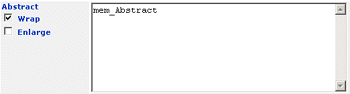
mem_Abstract Jan 1, 2003 - The Abstract field holds a brief summary or synopsis of the content item. The text length is unlimited and can be formatted HTML - See HTML Enhanced Content. |
Message
mem_Message Jan 1, 2003 - The Message field holds the article body of the content item. The text length is unlimited and can be formatted HTML - See HTML Enhanced Content. |
Memo Field
mem Jan 1, 2003 - Memo fields are use to hold unlimited amounts of text or formatted HTML - See HTML Enhanced Content. |
Web Link
url_Web_Link Jan 1, 2003 - Used to create hyperlinks to other sites. Can be any valid Web Address URL or email address. |
Multimedia
fil_Multimedia Jan 1, 2003 - Allows you to attach images or documents to a content item. Simply Browse for the item to be attached, and save the content item. Images are then rendered with the content item automatically. Documents are shown with a paper clip as an attachment. |
Language
rad_Language Jan 1, 2003 - On multi-lingual sites, Language determines which content items are visible at any one time. On a multi-lingual site, you need to post each content item in each supported language. |
Help
Content Management